AbdulTech
  • Home
  • Business
    • Internet
    • Market
    • Stock
  • Downloads
    • Dvd
    • Games
    • Software
      • Office
  • Parent Category
    • Child Category 1
      • Sub Child Category 1
      • Sub Child Category 2
      • Sub Child Category 3
    • Child Category 2
    • Child Category 3
    • Child Category 4
  • Featured
  • Health
    • Childcare
    • Doctors
  • Uncategorized
Showing posts with label Roms. Show all posts

Monday, 27 March 2017

LOLLIPOP CUSTOM ROM FOR TECNO P5

 Abdul     March 27, 2017     Roms     2 comments   

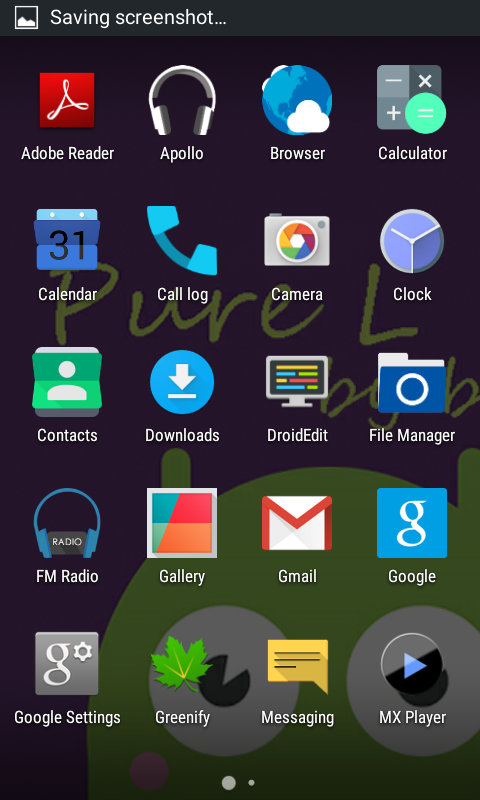
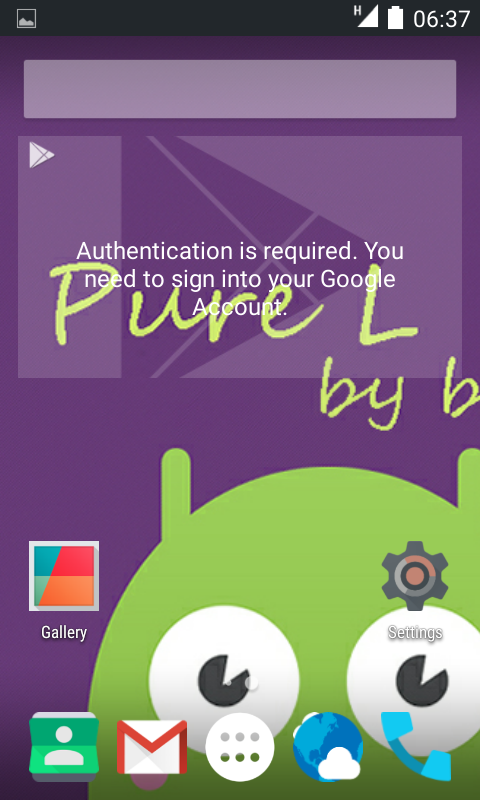
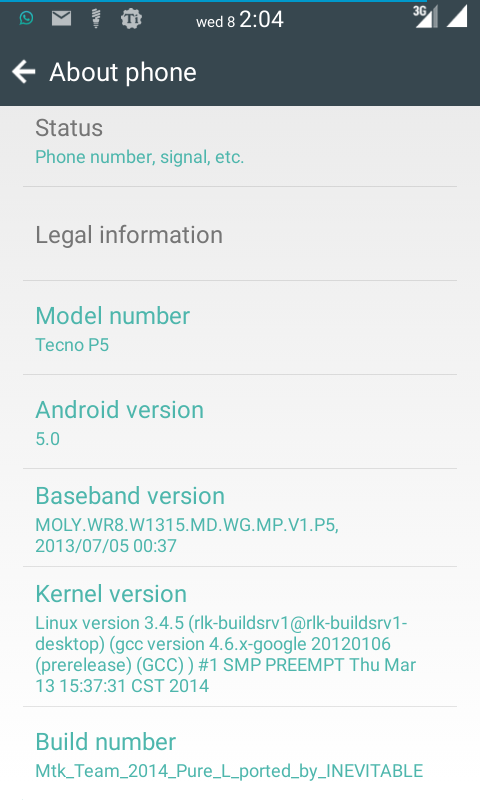
Experience the full and pure LOLLIPOP OS right in Your Tecno P5. This ROM has improved features and menus making your phone stands out! 
Tecno P5 Custom Rom
FEATURES OF THIS ROM:
Lollipop Custom rom for Tecno p5


  • A better Camera capture. Boost to 8mp and front 5mp
  • Improved sound quality
  • Better RAM management
  • Smooth UI
  • Face and voice locks
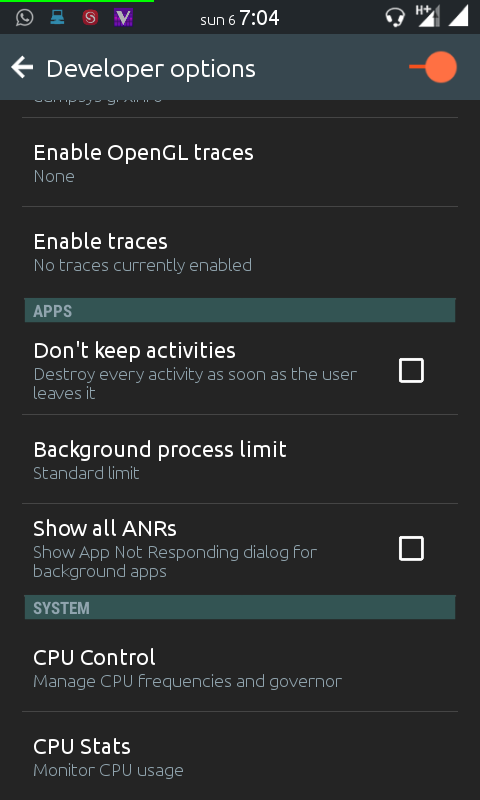
  • Over and under clocking of CPU
  • Google Keyboard pre-installed &
  • Apollo music player doubled up with MX player to enjoy ya videos playback.
  • AND many more.

Enough talk! Flash, I know you definitely love it.
Lollipop Rom for Tecno p5
HOW TO THIS FLASH  ROM
Note: Please don’t use stock recovery to install any custom rom if you have not install custom recovery, get it at the below address

Download recovery for Tecno P5 here
Before flashing any ROM, make sure your battery is above 70% charged.

1) You have to have a Rooted Phone and CWM Installed, that’s the recovery. If you have already flashed recovery, skip this step.
2)  Next, download LOLLIPOP CUSTOM ROM FOR TECNO P5  at the below link 
Download Lollipop forr Tecno P5
  • New features added to this rom
  • You can overclock your device
  • Face and voice locks
    lollipop rom for tecno p5

3) Boot to CWM Recovery Mode (Power Off your Phone and then Press Power Button + Volume Up Button until The Recovery shows up)
4) It is advisable to make Backup your stock/current Rom ( CWM Backup & Restore & Backup )
5) Now Follow This steps for flashing your sweet and bug less LOLLIPOP CUSTOM ROM
  • Wipe data/factory Reset
  • Wipe cache Partition
  • Go to Mount & Storage, select wipe/format System
  • Press back and select Advance, Wipe Dalvik Cache
  • Now Go Back
  • Select Install Zip From SDcard
  • Now Select your Custom ROM which You want to Flash

Wait until the Installation finished
Then Reboot Your Phone, relax if it reboot itself.
Be patient , first boot takes times… 5-10 mins or less.
Is it Helpful? Dont forget to drop Your Comments..!





Read More
  • Share This:  
  •  Facebook
  •  Twitter
  •  Google+
  •  Stumble
  •  Digg
Older Posts Home

Popular Posts

  • Upgrade Your Tecno Y4 To 6.0 Marshmallow Using Mystic OS V7 Custom ROM
    Do you know that you can upgrade your  Tecno Y4  to 6.0 Marshmallow? Yea! You can do that easily with this tutorial and by installing  Mysti...
  • How To Activate BB Plan Of 3GB For 1,000Naira On Android Device
    Airtel has joined the best network that offers cheaper data plans even on BlackBerry phone because it refused to join other networks like Et...
  • FIFA 14 v1.3.6 Mod Apk + Obb Data [No Root] Download, Install And Play [Fully Unlock]
    EA Sport Android FIFA 14 has been the best Android football HD game so far due to its HD graphics, realness, offline feature to enjoy manage...
  • OnePlus 5T ‘Star Wars Edition’ Has Been Launched In India
    A month after the dispatch of the OnePlus 5T , OnePlus indeed took the middle stage to report the dispatch of the new Star Wars-enlivened...
  • How To Transfer Credit Or Airtime On Etisalat, MTN, Glo And Airtel Network
    Are you looking for a way to transfer credit or Airtime on  Glo, Etisalat, MTN  and  Airtel  networks? Yea! You can do that with just an eas...

Categories

airtel android apple apps blogging Browsing cheats computer etisalat games glo google pixel Hacks How To infinix internet internet & data internet data ios mod mtn network oneplus oneplus 5t oneplus5t star wars oreo pc phone premium accounts Ram Roms samsung star wars tecno telegram tweakware wallpapers Web tutorials whatsapp

Newsletter

Subscribe Our Newsletter

Enter your email address below to subscribe to our AbdulTech newsletter.

About Us

AbdulTech

Vanice is modern magazine blogger template which focuses on lifestyle news, health, and entertainment.

Pages

  • Home
  • About Us
  • Disclaimer
  • Sponsor A Post
  • Contact Us
  • Write For Us
  • Advertise With US

Blog Archive

  • ▼  2019 (1)
    • ▼  January (1)
      • Download Brawl Stars APK Latest December Update
  • ►  2018 (12)
    • ►  December (1)
    • ►  October (4)
    • ►  August (3)
    • ►  June (1)
    • ►  April (3)
  • ►  2017 (173)
    • ►  December (3)
    • ►  August (3)
    • ►  July (8)
    • ►  June (6)
    • ►  May (7)
    • ►  April (40)
    • ►  March (49)
    • ►  February (57)

Copyright © AbdulTech | Powered by Blogger
Design by Hardeep Asrani | Blogger Theme by NewBloggerThemes.com | Distributed By Gooyaabi Templates